
Skip the Anker 140W charger (A2697). It can deliver 140W, but not for long. Our unit charged a MacBook for 20 to 30 minutes, dropped into its "Active Cooling" mode with the temperature gauge in the red, and then got stuck restarting instead of charging. The fan icon on its screen doesn't stand for a fan, because there isn't one. The smart display is the best thing about it, and it's the thing that showed us the charger failing. Buy the UGREEN Nexode Pro 160W instead: on the same MacBook, it kept charging without throttling or restarting, for about the same price.
Anker 140W charger specs
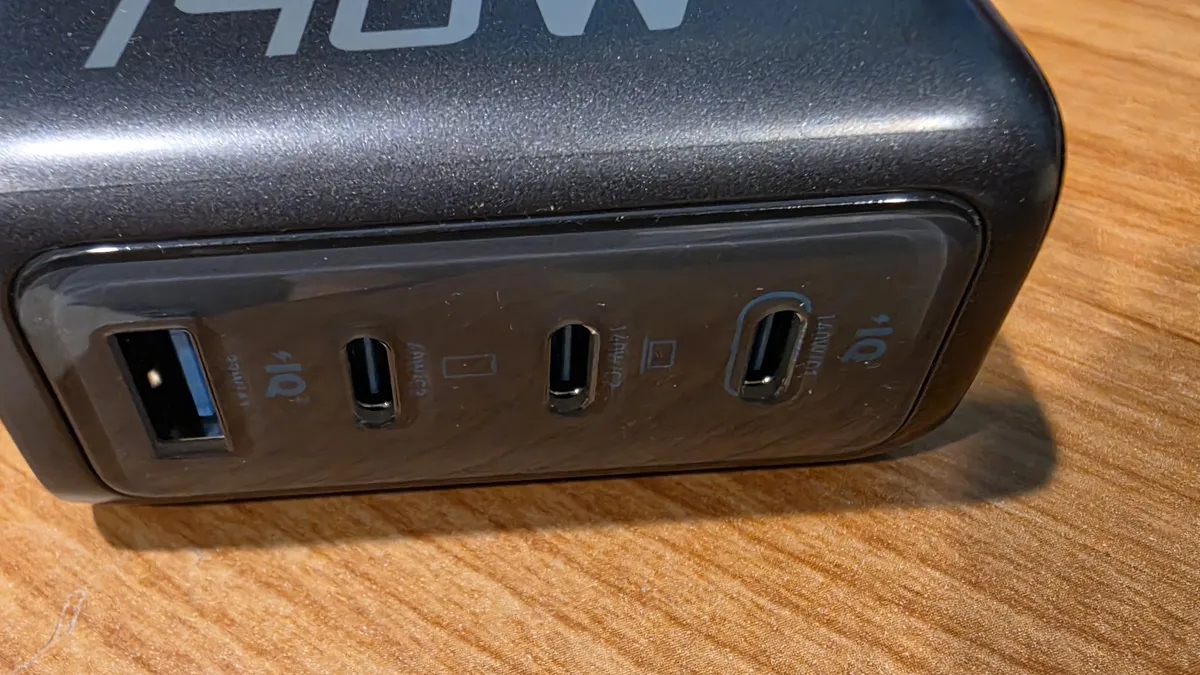
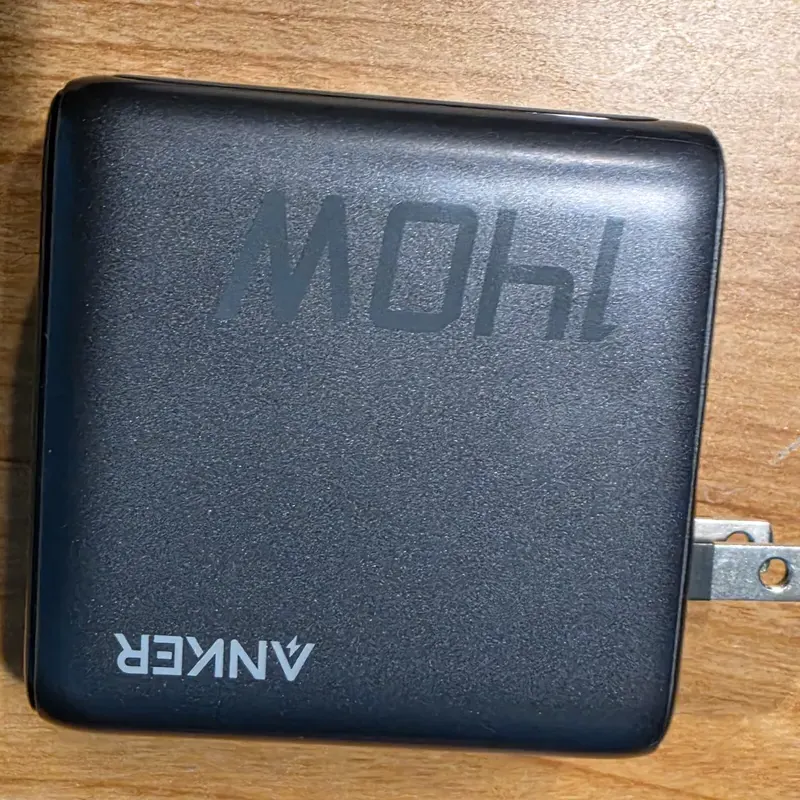
The A2697 is a four-port GaN wall charger with a color display, rated for 140W from either of its two main USB-C ports. Amazon lists it as the "Anker 140W Max 4-Port GaN Charging Block, Smart Display" (ASIN B0DFCH3C4W). Anker's specification page lists:
| Spec | Anker 140W Charger (A2697) |
|---|---|
| Ports | 3 USB-C, 1 USB-A |
| USB-C1 / USB-C2 (one port in use) | Up to 140W (28V/5A) |
| USB-C3 | Up to 40W |
| USB-A1 | Up to 33W |
| Two main USB-C ports together | 70W + 70W |
| All four ports | 65W + 45W + 12W + 12W |
| Size | 69 × 69 × 36 mm |
| Weight | 295 g |
| Cooling | None listed. No fan, no vents |
Anker notes that you need an e-marked USB-C cable to go above 100W. The cable in the box is fine. A cheap cable caps you at 100W before heat even comes into it.
Anker 140W charger price and availability
Anker sells the A2697 for $89.99 in its US store, listed as in stock and $10 off, with a 5 ft USB-C cable included. Best Buy also lists it at $89.99, and Amazon sells it as ASIN B0DFCH3C4W. The UGREEN Nexode Pro 160W launched at the same $89.99 US list price, per Notebookcheck, and Amazon has discounted it since. At the same money, the UGREEN gives you more ports and a 140W port that held up for us. Prices checked November 25, 2026.
What happened when we charged a MacBook
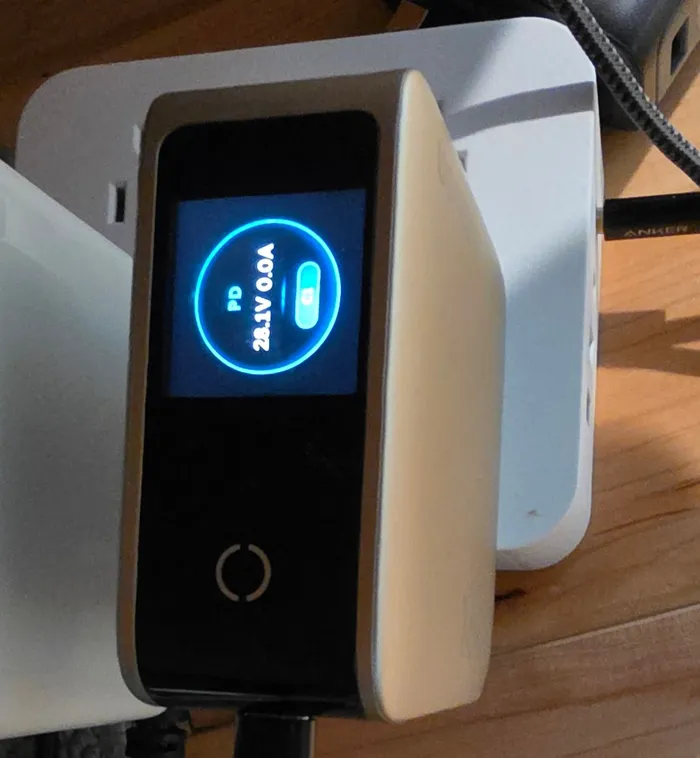
Our unit lasted about 20 to 30 minutes at high output before it overheated and stopped charging. The display read 120W on USB-C1, against the 140W printed on the case. The temperature screen then switched to "Temp. Monitoring: Active Cooling" with the gauge pinned at the red end. Seconds later, the screen went black and the charger rebooted to its startup animation. Then it did it again. A charger that keeps rebooting isn't charging your laptop.
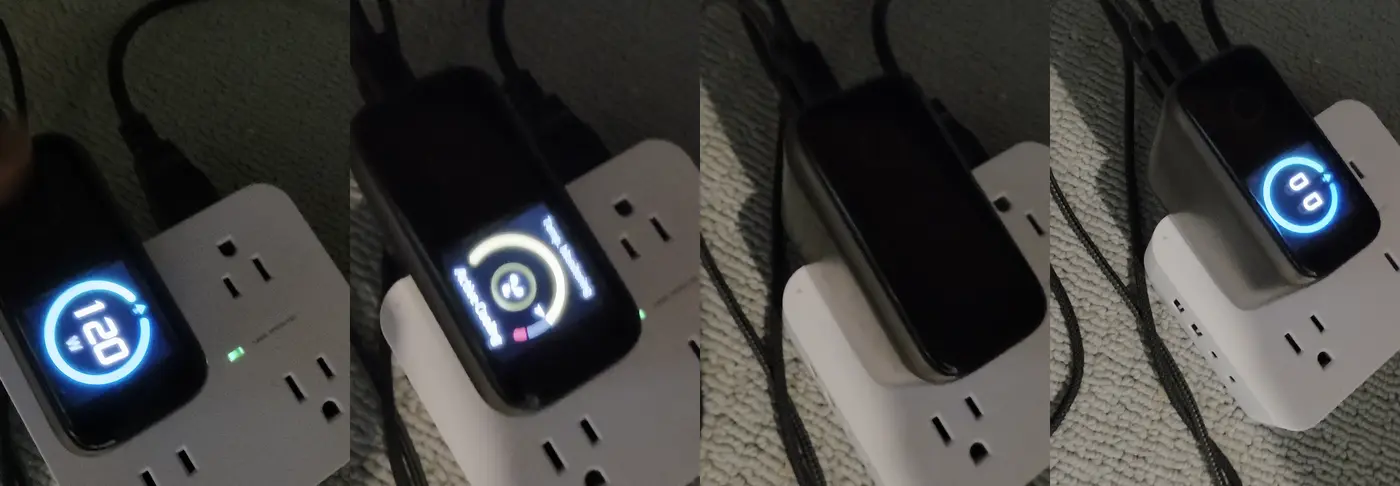
Our experience matches independent testing. Techtest.org's sustained-load test found the A2697 held 140W for only about half an hour before it throttled to 120W, with the display in cooling mode. Their unit kept charging at the lower rate. Ours went into the restart loop.
Anker admits the limit in a note on its own product page: the charger "may frequently activate" its over-temperature protection under full load and will reduce its output in extended high-temperature conditions. If a charger's own listing warns that full load trips its protection, the 140W on the case is a peak, not a rating you can rely on.
The "Active Cooling" screen shows a fan that isn't there
The A2697 has no fan. It's a sealed brick with no vents, and it made no sound while it cooked itself. Even so, when it overheats, the screen shows a fan icon labeled "Active Cooling".
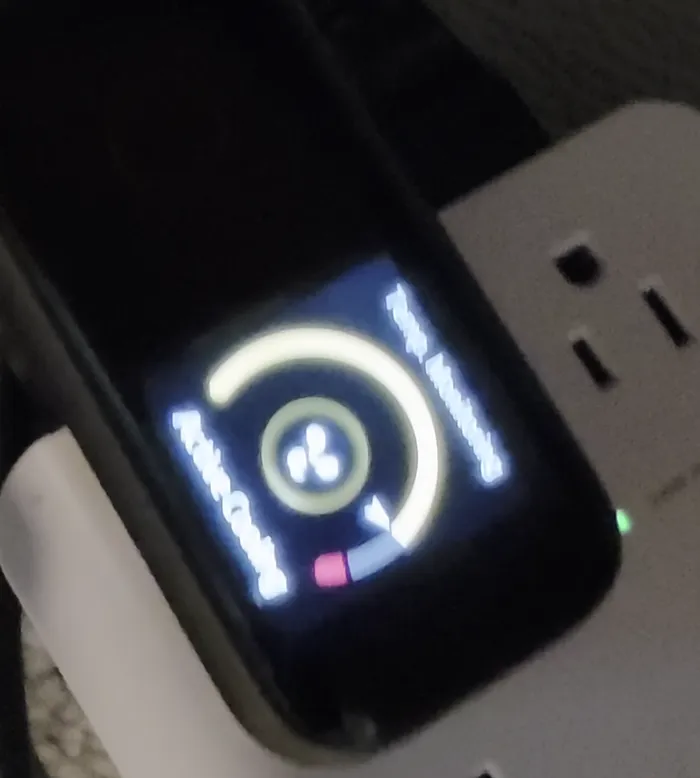
In PC hardware, "active cooling" means a fan or pump moving air or liquid. Here it means the charger cuts power until it cools down. Anker's overheating support article says charger surfaces may legally reach 77°C (170°F) in a 25°C (77°F) room and calls the heat "a normal aspect of operation". That may be within safety rules, but it doesn't make "Active Cooling" an honest label for throttling.
Handheld Finder newsletter
New handhelds, buying guides, and deals in your inbox.
Is it a good charger for a Steam Deck or ROG Xbox Ally?
It will charge a handheld, but you're paying for 140W that no handheld needs. Valve ships the Steam Deck OLED with a 45W charger, and ASUS lists a 65W USB-C PD adapter for the ROG Xbox Ally and Xbox Ally X. A single handheld stays well below the load that pushed our unit over the edge.
The only reason to buy a four-port 140W brick is to charge a laptop and a handheld from one outlet. That's exactly where this charger falls apart, and where the UGREEN below holds up. If you only travel with a handheld, a good 65W USB-C PD charger costs less, weighs less, and covers every current PC handheld. For charging away from the wall, our power bank guide for gaming handhelds explains which port ratings matter.
Buy the UGREEN Nexode Pro 160W instead
The UGREEN Nexode Pro 160W is the charger we replaced the Anker with, and it kept charging our MacBook under the same sustained load without throttling or restarting. It costs about the same on Amazon, adds a fifth port, and UGREEN rates its two main USB-C ports for 140W "without derating". That's the exact promise the Anker breaks.
| Spec | Anker 140W (A2697) | UGREEN Nexode Pro 160W (X774) |
|---|---|---|
| Total output | 140W | 160W |
| Max from one USB-C port | 140W (C1, C2) | 140W (C1, C2) |
| Ports | 3 USB-C, 1 USB-A | 4 USB-C, 1 USB-A |
| Third USB-C port | 40W | 100W |
| Laptop port with other devices connected | 100W with one small device, 65W with all four ports | 100W with up to three devices, 65W with four or five |
| Weight | 295 g | About 360 g |
| Sustained 140W | About 30 minutes in Techtest's test; ours went into a restart loop | Rated without derating; held up on our MacBook |
The UGREEN works better for a laptop plus a handheld. Per UGREEN's specs and Notebookcheck's review, one USB-C port keeps 100W available with up to three devices plugged in. That leaves room for a MacBook and a 45W Steam Deck OLED at the same time. Its third USB-C port is rated for 100W, against 40W on the Anker's, so it's useful for more than a phone.
It isn't perfect. At about 360 g, it's heavier than the Anker, and Notebookcheck found its display readings can be slightly off. Those are small trade-offs next to a charger that keeps charging.
As an Amazon Associate, Handheld Finder earns from qualifying purchases. Check the UGREEN Nexode Pro 160W's current price on Amazon.
Pros and cons
Pros
- The color display shows output per port, temperature, and run time
- Two USB-C ports rated at 140W, plus a 40W USB-C port and a 33W USB-A port
- Compact for its rating, with a folding plug
- Feels premium in the hand
Cons
- Can't sustain 140W. Independent testing shows about 30 minutes before it throttles
- Our unit overheated, then got stuck restarting instead of charging
- The "Active Cooling" screen shows a fan icon on a charger that has no fan
- Anker's own listing warns that full load may "frequently" trip over-temperature protection
- Overkill for any handheld, and unreliable for the laptop load it's built for
Verdict: skip it
The Anker 140W charger looks better than any charger we've used and delivers less than its label promises. It hit 140W, overheated, throttled, and then stopped charging altogether. The display that makes it look high-tech also put the problem on screen: 120W, then Active Cooling, then a black screen. For about the same money, the UGREEN Nexode Pro 160W gives you a fifth port, 20W more total output, and a 140W port that kept going on our MacBook.
If you already own one and it restarts under load, record it on video. Anker's troubleshooting article suggests unplugging everything for five minutes, then trying a different cable, device, and outlet. If it still restarts, send the video to Anker or the seller and ask for a replacement or a refund.
Still choosing the handheld you need to charge? Take the picker quiz or compare handhelds side by side to narrow it down.
Frequently asked questions
Does the Anker 140W charger really output 140W?
Only for a short time. Anker's A2697 can deliver 140W from USB-C1 or USB-C2, but Anker's own product page says it may frequently trigger over-temperature protection under full load and cut its output. Techtest.org measured about 30 minutes at 140W before it throttled to 120W, and our unit hit its cooling mode and started restarting after roughly 20 to 30 minutes of laptop charging.
Does the Anker 140W charger have a fan?
No. The A2697 is a sealed GaN brick with no vents, and Anker's specifications list no fan. When it gets hot, the screen shows "Active Cooling" next to a fan icon, but that mode means the charger is reducing power to shed heat, not that anything is spinning.
Why does my Anker 140W charger keep restarting?
On our unit, the restarts followed the charger's overheating mode. After 20 to 30 minutes of charging a MacBook, it showed "Active Cooling" with the temperature gauge in the red, the screen went black, and it rebooted to its startup animation repeatedly instead of charging. Anker's support advice is to unplug everything for 5 minutes, then try another cable, device and outlet. If it keeps happening, contact Anker or the seller for a replacement or refund.
Is the Anker 140W charger good for a Steam Deck or ROG Xbox Ally?
It will charge them, but it is the wrong buy for a handheld. The Steam Deck OLED ships with a 45W charger and the ROG Xbox Ally family uses a 65W charger, so a single handheld never needs 140W. The 140W rating only matters if you share the brick with a power-hungry laptop, and that is exactly the load where this charger overheated on us.
Are Anker chargers good quality?
Anker builds plenty of solid chargers, but the 140W A2697 is not one we recommend. Its smart display and build quality are excellent, but it cannot sustain its headline 140W rating, and our unit went into a restart loop under a laptop load. Judge each Anker model on sustained output, not the brand name or the number on the case.
What should I buy instead of the Anker 140W charger?
Buy the UGREEN Nexode Pro 160W. It costs about the same as the Anker on Amazon, has four USB-C ports and one USB-A port, and UGREEN rates its two main USB-C ports for 140W without derating. On the same MacBook that sent our Anker into a restart loop, the UGREEN kept charging without throttling or restarting. If you only charge a handheld, a 45W USB-C PD charger covers a Steam Deck OLED and a 65W one covers the ROG Xbox Ally family.
Sources
- Anker US store listing, $89.99
- Anker A2697 specifications
- Anker Charger (140W, 4-Port, PD 3.1) product page and over-temperature note
- Anker: Why the 140W charger overheats
- Anker: troubleshooting when the charger doesn't maintain 140W
- Techtest.org A2697 sustained-load test (German)
- UGREEN Nexode Pro 160W product page
- Notebookcheck UGREEN Nexode Pro 160W review
All photos and video frames are from our own units.


