
Lenovo Legion Go S vs OneXFly F1 Pro
The Lenovo Legion Go S (~$590) and OneXFly F1 Pro ($999+) are closely matched Windows handhelds. The right pick comes down to display, battery, and form factor — not raw performance.
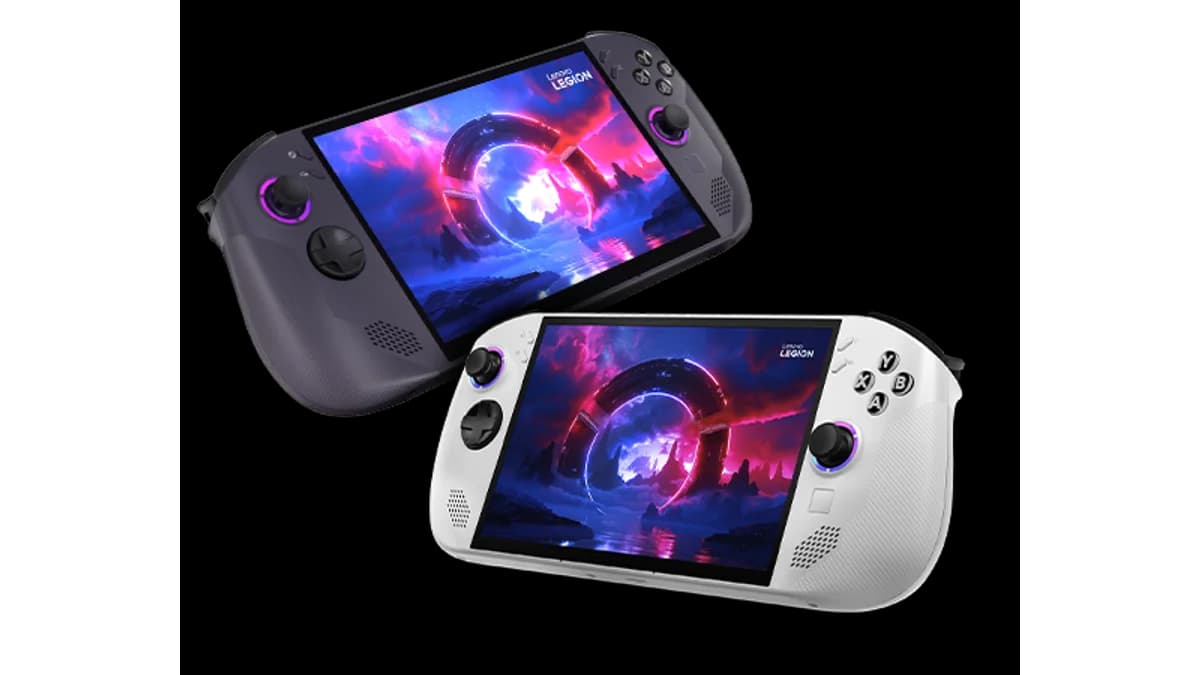
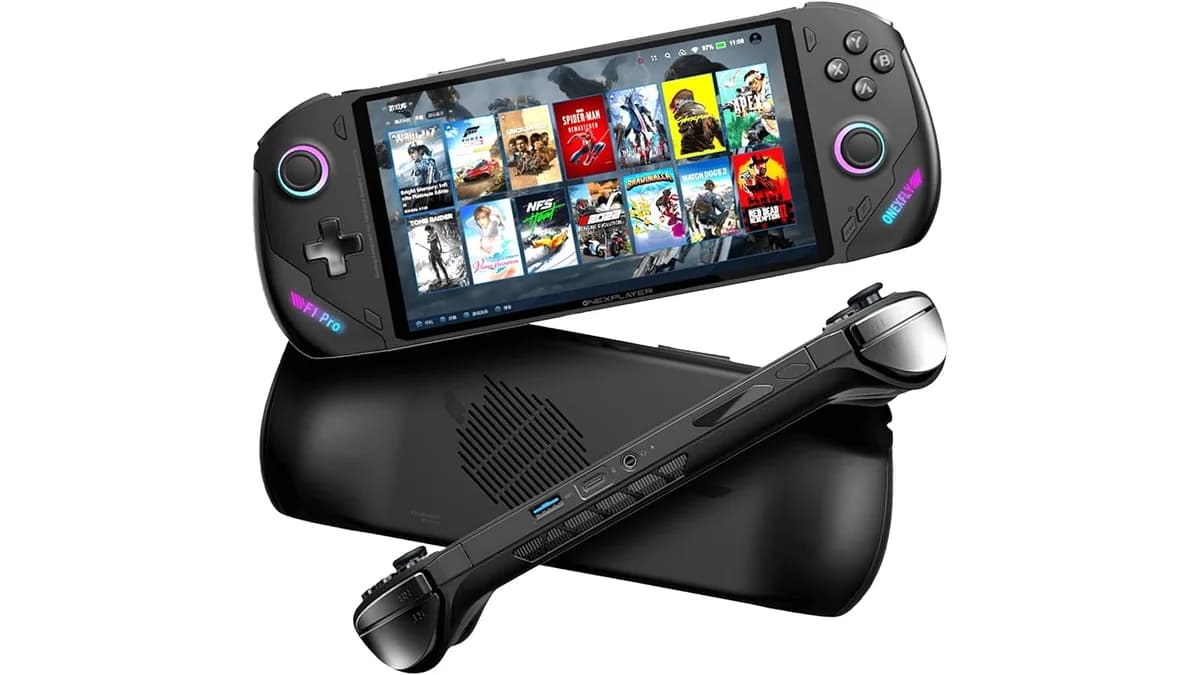
- Lenovo Legion Go S costs $810 less ($999+ vs ~$590) — roughly 58% cheaper than the OneXFly F1 Pro.
- Processor: Lenovo Legion Go S runs a AMD Ryzen Z2 Go vs AMD Ryzen AI 9 HX 370 / HX 365 / Ryzen 7 8840U in the OneXFly F1 Pro.
- Display: OneXFly F1 Pro has an OLED/AMOLED panel (7" OLED 1920x1080 144Hz touch (~800 nits)) vs the Lenovo Legion Go S's 8" IPS 1920x1200 120Hz VRR — better contrast and black levels.
Specs comparison
Side-by-side technical details. The glowing value wins its row.
| Spec | Lenovo Legion Go S | OneXFly F1 Pro |
|---|---|---|
| Price | ~$590(best) | $999+ |
| Display | 8" IPS 1920x1200 120Hz VRR | 7" OLED 1920x1080 144Hz touch (~800 nits)(best) |
| Processor | AMD Ryzen Z2 Go | AMD Ryzen AI 9 HX 370 / HX 365 / Ryzen 7 8840U |
| RAM | 16GB LPDDR5X-6400 | 16-32GB LPDDR5X-7500 (soldered dual-channel) |
| Storage | 512GB-1TB PCIe 4.0 | Up to 4TB M.2 2280 PCIe 4.0 + microSD 4.0(best) |
| Battery | 55.5Whr(best) | 48.5Wh |
| Weight | ~570g(best) | ~599g |
| OS | SteamOS / Windows 11 | Windows 11 |
PC Gaming
OneXFly F1 Pro winsAAA Games
OneXFly F1 Pro winsPortability
OneXFly F1 Pro winsBattery
Lenovo Legion Go S winsLenovo Legion Go S is best for
- SteamOS with larger screen than Deck
- Good value at current sale price
- Sleek unibody design
OneXFly F1 Pro is best for
- Best-feeling compact Windows OLED
- Travel AAA at medium settings
- Ally-class size with stronger Strix Point SKUs
Lenovo Legion Go S watch outs
- Ryzen Z2 Go less powerful than competition
- No detachable controllers
- Relatively new platform
OneXFly F1 Pro watch outs
- 48.5Wh limits high-TDP sessions
- HX 370 configs still expensive vs Ally X
- OneXConsole weaker than big-brand software
Lenovo Legion Go S wins on value. You give up little in benchmarks but save $810 vs the OneXFly F1 Pro.
Winner: Lenovo Legion Go SStill unsure?
Let our picker quiz find your perfect handheld in 60 seconds.
Lenovo Legion Go S vs OneXFly F1 Pro FAQ
Which is better, the Lenovo Legion Go S or the OneXFly F1 Pro?
Lenovo Legion Go S wins on value. You give up little in benchmarks but save $810 vs the OneXFly F1 Pro.
What is the price difference between the Lenovo Legion Go S and the OneXFly F1 Pro?
The Lenovo Legion Go S costs $589 while the OneXFly F1 Pro is $1399 — a $810 difference. Lenovo Legion Go S is the value pick; OneXFly F1 Pro justifies the premium with up to ryzen ai 9 hx 370 + radeon 890m.
Which has better performance, the Lenovo Legion Go S or OneXFly F1 Pro?
The OneXFly F1 Pro scores higher across aggregated performance metrics, powered by a AMD Ryzen AI 9 HX 370 / HX 365 / Ryzen 7 8840U chip with 16-32GB LPDDR5X-7500 (soldered dual-channel) RAM. The Lenovo Legion Go S uses a AMD Ryzen Z2 Go and still handles most emulation workloads competently.
How does battery life compare between the Lenovo Legion Go S and OneXFly F1 Pro?
The Lenovo Legion Go S ships with a 55.5Whr battery. The OneXFly F1 Pro has a 48.5Wh. Real-world runtime depends on workload: retro emulation typically gets double the runtime of native Android or PS2 emulation.
Which is more portable, the Lenovo Legion Go S or OneXFly F1 Pro?
The Lenovo Legion Go S weighs ~570g, while the OneXFly F1 Pro weighs ~599g. Lighter devices are easier for pocket carry and long sessions but often tradeoff battery capacity or grip comfort.
Should I buy the Lenovo Legion Go S or wait for the OneXFly F1 Pro?
Both are currently in market. If your use case fits steamos with larger screen than deck, the Lenovo Legion Go S delivers today. If you prioritize best-feeling compact windows oled, the OneXFly F1 Pro is the stronger long-term pick. Neither is about to be replaced — both vendors have 12+ month refresh cycles.