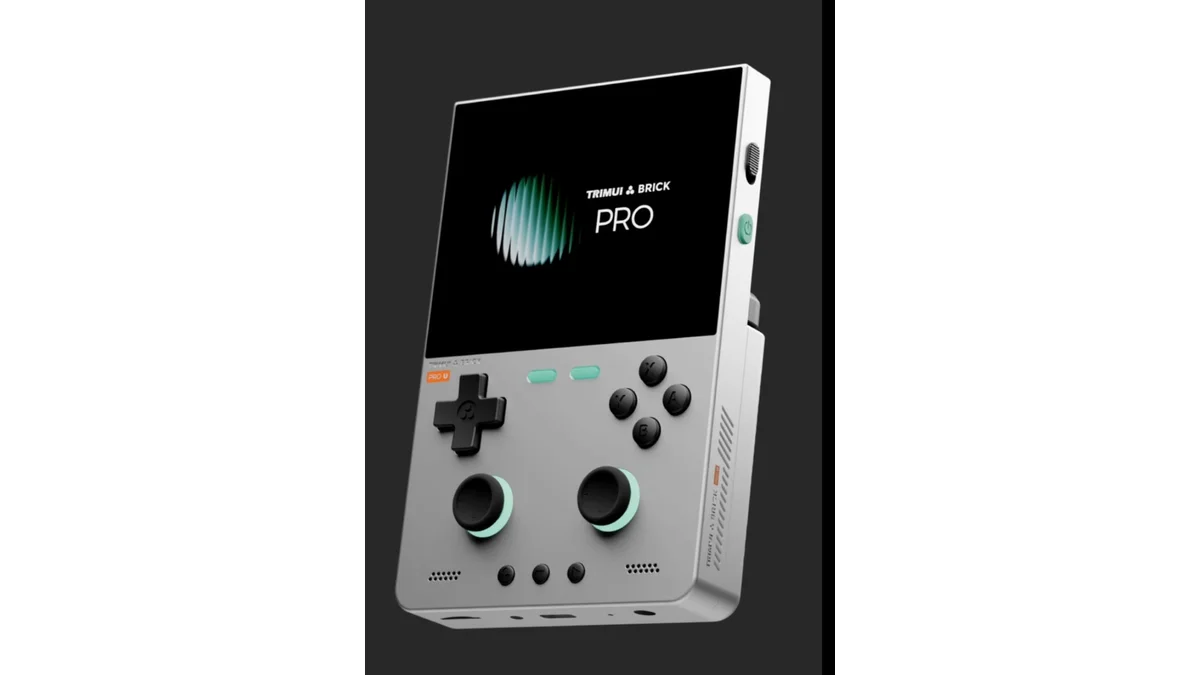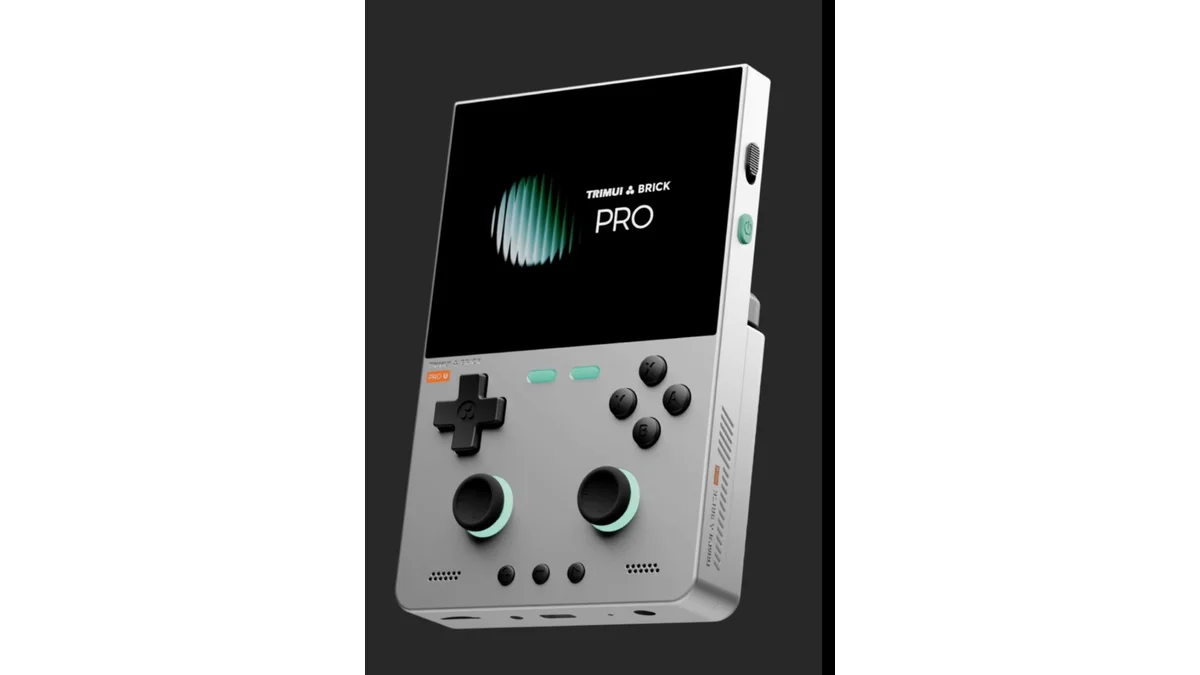
The TrimUI Brick Pro is the budget vertical upgrade path for Brick fans who want analog sticks and a larger 4:3 screen without jumping to Android money. Official pre-sale pricing is $99.99 for the console-only unit on TrimUI's store. Inside you still get the familiar Allwinner A133P @ 1.8GHz with PowerVR GE8300, 1GB LPDDR3, and 8GB eMMC, but the chassis moves to a 3.95-inch 1024×768 IPS (324 PPI) panel, dual Hall sticks, 5,000mAh battery, dual USB-C (charge/data + host), and DP-alt output to 1080p60 displays.
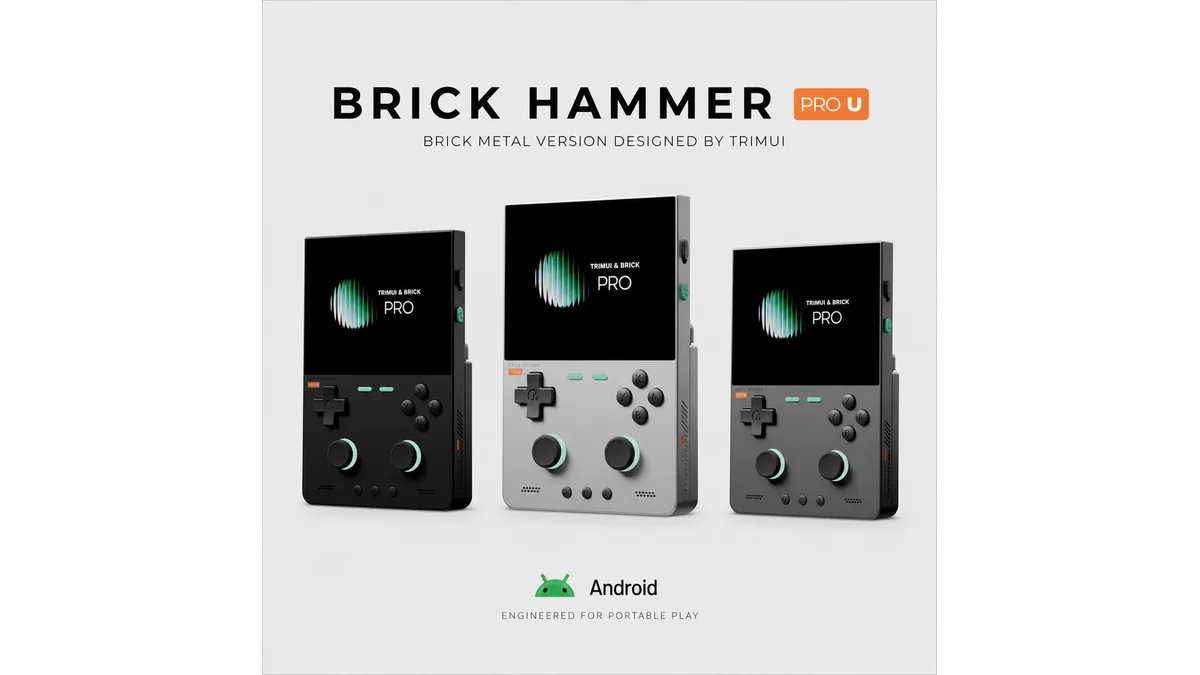
This is not a chipset leap. The performance class matches the original Brick / Smart Pro A133P generation: excellent through PS1, mixed N64, and a hard stop well before comfortable PS2. Buy it for screen, sticks, and battery — or step up to the Brick Hammer Pro U if you need Snapdragon-class Android power in the same vertical family (Android Authority lineup breakdown).
Not sure vertical Linux is your match? Take the Handheld Picker quiz.
Specs at a Glance
| Spec | TrimUI Brick Pro |
|---|---|
| Price | $99.99 (console only, pre-sale) |
| Display | 3.95" IPS, 1024×768, 4:3, 60Hz, 324 PPI, full laminate |
| Chip | Allwinner A133P 1.8GHz |
| GPU | PowerVR GE8300 (max ~660MHz) |
| RAM / storage | 1GB LPDDR3 + 8GB eMMC + microSD (up to 1TB) |
| Battery | 5,000mAh (TrimUI claims ~5–10 hours by workload) |
| Weight | 236g |
| Wireless | Wi-Fi 802.11 b/g/n, Bluetooth 4.2 |
| Ports | Bottom USB-C (charge/data), rear USB-C host, microSD, 3.5mm |
| Video out | USB-C DP-alt, 1920×1080@60Hz |
| Controls | Dual Hall sticks (JF15), full ABXY + shoulders, FN lock, RGB accents |
| OS | Linux 4.9 / TrimUI OSD (CFW-friendly community) |
| Body | Plastic ABS+PC (Black / White / Retro Grey) |
Official listing: TRIMUI BRICK PRO. Catalog: Brick Pro device page.
Design: Bigger Brick, Real Sticks
The original Brick won people over with a sharp small 4:3 panel and excellent D-pad feel in a pocket vertical. The Pro keeps the Game Boy-like orientation but grows the screen to 3.95" at a dense 1024×768, which is a meaningful quality-of-life jump for SNES, PS1, and arcade 4:3 content.
Dual Hall sticks are the headline control change. That opens N64, Dreamcast (where the chip allows), and dual-analog ports without a Bluetooth controller. Stick quality will always trail premium hall units on $200+ devices, but at $100 with full face buttons, L3/R3, and RGB shoulder/stick lighting, the control deck is unusually complete for Linux budget verticals.
Tradeoffs versus metal Hammer models: plastic shell, more bulk than the 3.2" Brick, and 236g that still pockets in a jacket but not a skinny jeans coin pocket. Dual USB-C is smart — charge on the bottom while using the rear host port for peripherals — and DP-alt means living-room play without buying a dock ecosystem.
Performance: Same Chip, Better Canvas
Be clear-eyed: A133P + 1GB RAM is a known quantity from the original Brick generation (Retro Handhelds Brick review context, Android Authority).
| System | Brick Pro reality |
|---|---|
| 8-bit / 16-bit / arcade | Excellent; high integer scales on 1024×768 |
| PS1 | Strong full-speed with shaders for most libraries |
| N64 | Mixed; lighter titles OK, heavier ones need tweaks or skip |
| PSP / Dreamcast | Limited; not the reason to buy this chip |
| PS2 / GameCube / Switch | No — look at Hammer Pro U or Android midrange |
The higher-resolution panel does not magically create GPU headroom. It does make 2D and PS1 look cleaner when you have the cycles. Community CFW (CrossMix-class stacks and friends) remains the usual path to a better frontend than stock TrimUI OSD — plan an SD card session after unboxing.
Battery and Thermals
5,000mAh in a 236g vertical is generous for this SoC class. TrimUI's 5–10 hour claim spans light 8-bit at low brightness through heavier 3D. Realistic buyer math:
| Usage | Expectation |
|---|---|
| Light retro, lower brightness | Upper end of claim (~8–10h possible) |
| PS1 with upscaling/shaders | Mid (~5–7h) |
| Max clocks / high brightness / video out | Closer to ~4–5h |
Passive A133P thermals are usually fine without a fan; the Pro's larger body helps heat spread versus tiny 2.8" toys.
Brick Pro vs Brick vs Hammer Pro U
| Brick Pro | Original Brick (ref) | Hammer Pro U | |
|---|---|---|---|
| Price | ~$100 | Often ~$70–$100 street | ~$200–$250+ |
| Display | 3.95" 1024×768 4:3 | Smaller 3.2" class 4:3 | 3.95" 1024×768 4:3 |
| Chip | A133P Linux | A133P Linux | Snapdragon G2 Gen 1 Android |
| Sticks | Dual Hall | Usually D-pad focused | Dual Hall |
| Battery | 5,000mAh | Smaller pack | ~3,000mAh |
| Body | Plastic | Plastic | CNC aluminum |
| Best for | Budget sticks + big 4:3 | Cheapest sharp vertical | PS2-class vertical ambition |
Pick Brick Pro if: you want dual sticks and a larger sharp 4:3 under ~$120 and your library tops out around PS1.
Pick original Brick if: you find it cheaper and never need sticks.
Pick Hammer Pro U if: you will pay ~2.5× for metal + Snapdragon headroom toward Dreamcast/N64 comfort and light PS2.
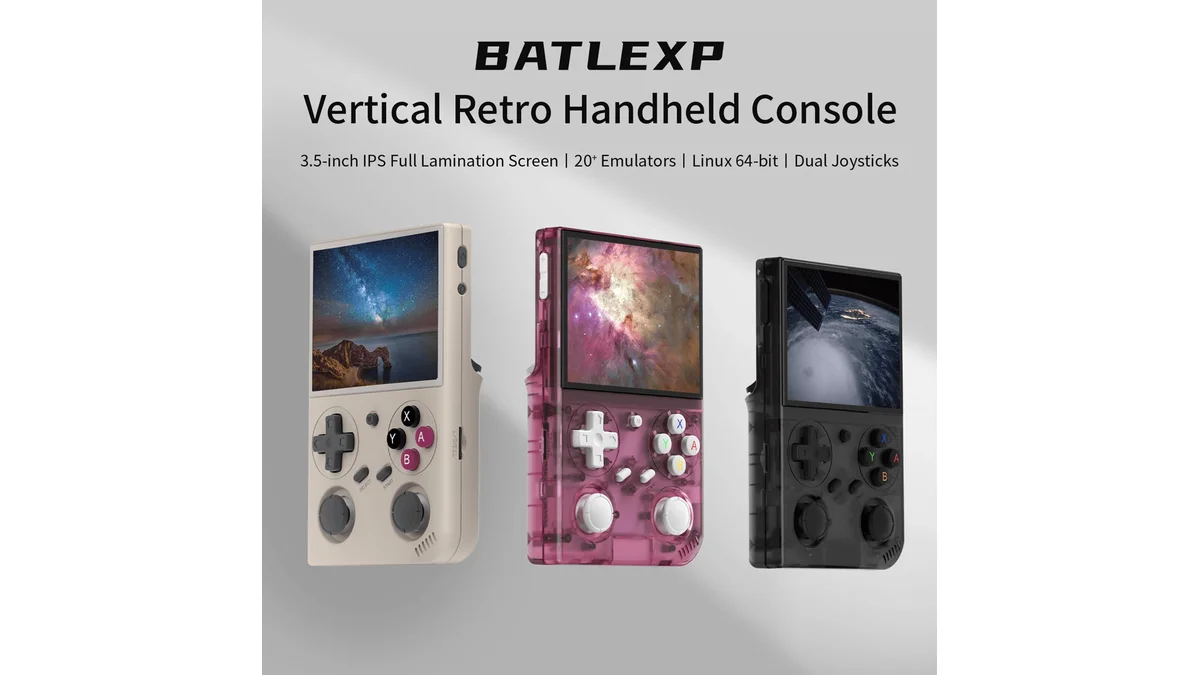
Also compare budget vertical rivals like the BATLEXP G350 if you want sub-$50 ArkOS value without Hall sticks or a 1024×768 panel.
Pros and Cons
Pros
- $100 with dual Hall sticks and a dense 4:3 1024×768 panel
- 5,000mAh endurance for a vertical Linux handheld
- DP-alt 1080p60 out + dual USB-C layout
- Full button set including L3/R3 and RGB accents
- Same CFW-friendly A133P ecosystem as prior Bricks
Cons
- No real CPU upgrade vs original Brick generation
- 1GB RAM limits multitasking and heavier cores
- Plastic body vs metal Hammer Pro U
- Stock UI is usually replaced
- N64 and beyond remain compromised
Should You Buy the TrimUI Brick Pro?
Buy the Brick Pro if you want a vertical 4:3 with analog sticks under $120, PS1-and-below is your real library, and you like Linux CFW tinkering. At $99.99 official it is a coherent "bigger Brick with sticks" product.
Skip for Hammer Pro U if PS2-class ambition or CNC metal is the point of the purchase.
Skip for G350-class budget if you only need a D-pad PS1 starter under $50 and will not use sticks.
Verdict: Worth it as a form-factor and control upgrade, not as a performance upgrade. The Brick Pro is the right $100 vertical when sticks + screen size are the missing pieces on your current A133P device.
Where to buy: TrimUI official Brick Pro pre-sale
Frequently Asked Questions
Is the TrimUI Brick Pro worth $100?
Yes if you want dual Hall sticks and a 3.95-inch 1024×768 4:3 vertical under $120 for PS1-and-below libraries. You are not buying a faster chip than the original Brick — you are buying screen, sticks, battery, and DP-out. Choose Hammer Pro U if you need Snapdragon-class power.
What can the Brick Pro emulate?
It handles 8-bit through PS1 very well, with mixed N64 results and limited Dreamcast/PSP success depending on title. It is not a PS2, GameCube, or Switch device. Plan CFW and sane settings rather than stock UI miracles.
Brick Pro vs original Brick: which should I buy?
Buy Brick Pro for the larger 1024×768 panel, dual Hall sticks, 5,000mAh battery, and DP-alt video out. Buy the original Brick only if it is significantly cheaper and you play D-pad-centric systems exclusively.
Brick Pro vs Hammer Pro U: which is better?
Brick Pro is better value for PS1-class Linux vertical play at $100. Hammer Pro U is better when you want CNC metal, Android, and Snapdragon G2 Gen 1 headroom for harder 3D systems — at roughly double to 2.5× the price and a smaller battery.
How long does the Brick Pro battery last?
Official capacity is 5,000mAh with a claimed 5–10 hour range. Light retro loads trend toward the high end; PS1 with shaders and high brightness land mid-pack. Video-out sessions drain faster. Real-world CFW power profiles will refine these numbers after broader reviews.
Sources
- TrimUI Store - BRICK PRO official product page
- Android Authority - Brick Pro and Hammer Pro U specs reveal
- Retro Handhelds - original TrimUI Brick review (A133P baseline)
- LITNXT - Brick Pro / Hammer retail context
Featured image: TrimUI. Product images used under fair use for editorial purposes.