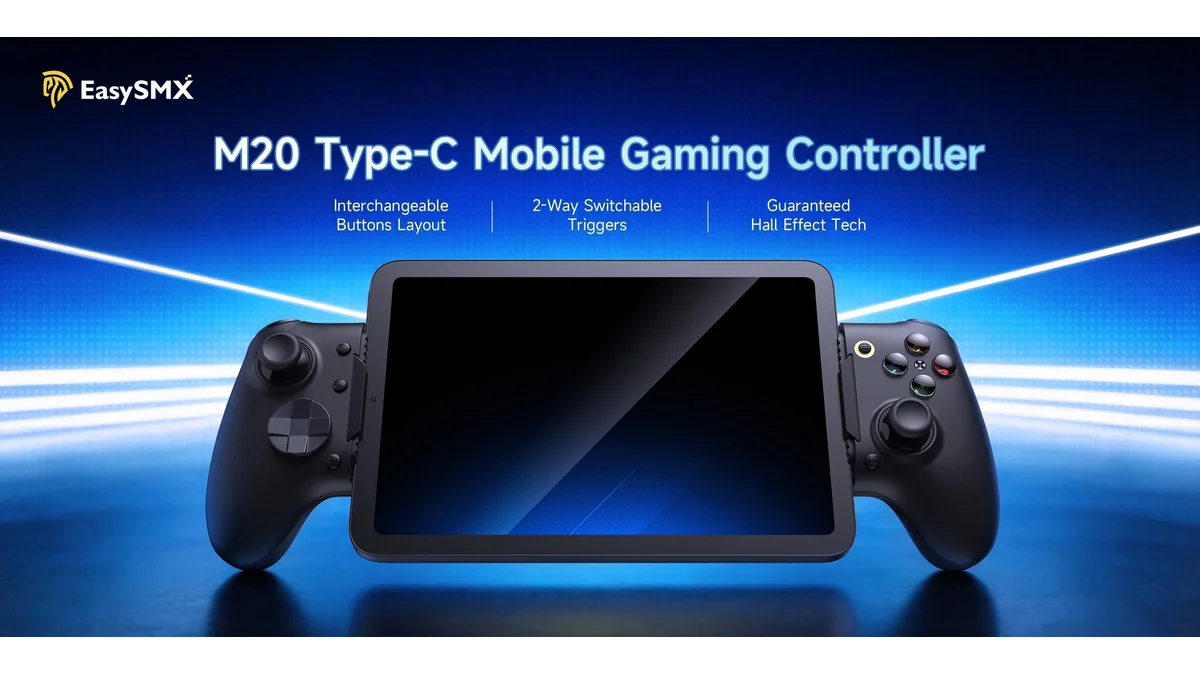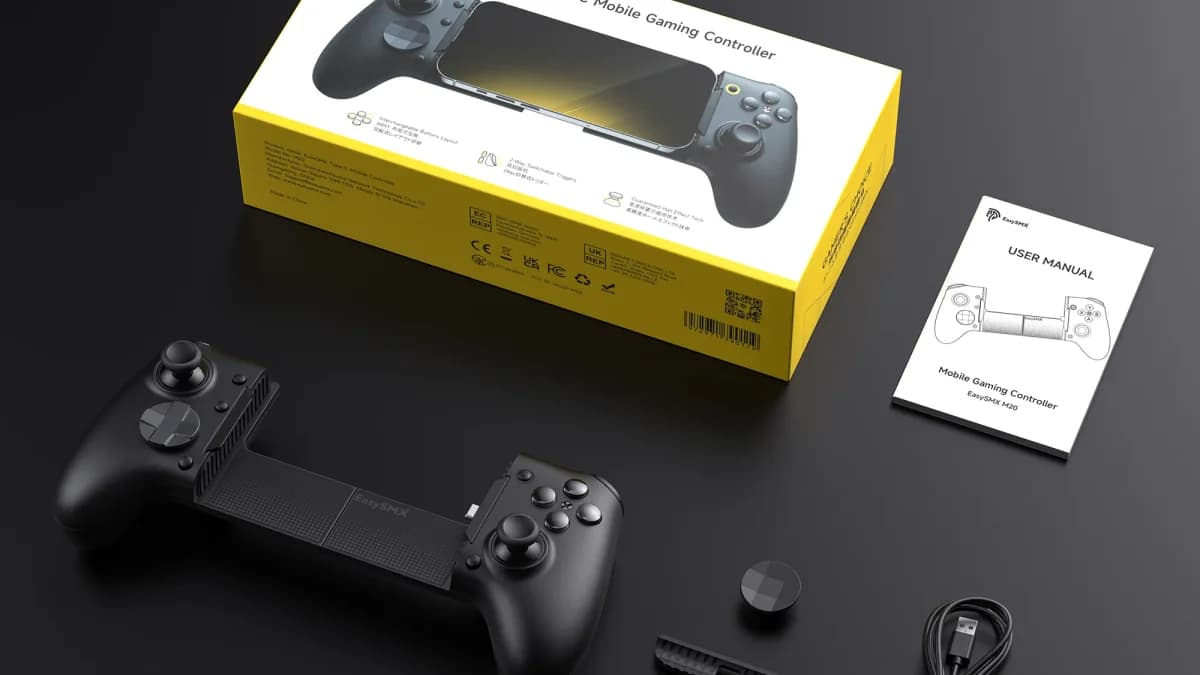
For over two decades, gamers have faced a frustrating dilemma when switching between console ecosystems. The Xbox and Nintendo button layouts have remained stubbornly incompatible since 2002, creating persistent muscle memory conflicts that lead to accidental button presses and disrupted gameplay sessions. The EasySMX M20 arrives as a revolutionary solution, introducing innovative technology that lets players physically reconfigure their controller's face buttons to match their target system 1.
The Button Layout Problem: A 24-Year Divide
The gaming industry has been split between two competing button standards that create genuine friction for multi-platform players. Xbox controllers use a layout where the A button sits at the bottom, B on the right, X on the left, and Y at the top. Nintendo's layout inverts this arrangement, placing B at the bottom and A on the right. As one frustrated player noted: "If you've ever picked up a controller mid-session and hit B when you meant A, you already understand the problem" 1.
This schism is particularly problematic in the mobile gaming era. Players frequently bounce between Xbox Game Pass streaming and Nintendo retro emulation on the same device, forcing their brains to constantly switch between contradictory muscle memory patterns. The issue becomes especially acute during fast-paced gameplay where split-second decisions matter—hitting the wrong button can mean the difference between victory and defeat.
The Solution: RoSync Rotating Button Technology
The EasySMX M20 introduces RoSync technology—a mechanical face button cluster that physically rotates to swap the ABXY arrangement between Xbox and Nintendo layouts. Unlike competitors that require modular swapping or software remapping, the M20 offers instant physical reconfiguration without tools or complex setup procedures 1.
"You rotate, you play."
The rotating mechanism uses magnetic attachment to ensure buttons stay securely in place during intense gaming sessions while remaining easy to reposition when switching between systems. This hardware-level solution eliminates the cognitive load of remembering which layout is currently active—simply rotate the face button cluster 45 degrees and the controller instantly matches your target platform.
Controller Features and Build Quality
The M20 builds upon EasySMX's established X10 controller architecture, incorporating premium components that deliver a high-quality gaming experience across multiple dimensions 1:
Technical Specifications:
| Feature | Details |
|---|---|
| Form Factor | Full-stretch wraparound mobile controller |
| Connectivity | USB-C (Android & newer iPhones) |
| Thumbsticks | Hall-effect sensors for drift-free precision |
| Face Buttons | Mechanical switches with RoSync rotation |
| Triggers | Trigger locks for rapid fire capability |
| Haptics | Dual-grip motors with 10 intensity levels |
| Foundation | Based on EasySMX X10 architecture |
The hall-effect thumbsticks represent a significant upgrade over standard potentiometer-based designs, offering superior durability and precision that won't develop drift over time. The mechanical face buttons provide satisfying tactile feedback with consistent actuation across thousands of presses. Trigger locks allow competitive gamers to achieve faster firing rates in shooters by reducing trigger travel distance.
Compatibility: Switch, PC, and Mobile Gaming
The EasySMX M20 is designed as a versatile multi-platform controller that excels across the modern gaming landscape. The USB-C connectivity ensures broad compatibility with contemporary devices, from Android smartphones and newer iPhones to PC gaming setups and Nintendo Switch 1.
The wraparound form factor transforms smartphones into handheld gaming devices reminiscent of dedicated portable consoles. This design proves particularly valuable for mobile gamers who alternate between Xbox cloud streaming services and Nintendo emulation apps—the very scenario where the button layout problem causes the most friction.
PC gamers benefit from the controller's plug-and-play simplicity, while Nintendo Switch users finally have a controller that matches their console's native button arrangement without requiring mental gymnastics. The USB-C connection ensures low-latency input for competitive gaming scenarios where every millisecond counts.
Price and Value Proposition
The EasySMX M20 enters the market at an aggressive price point that undercuts many premium mobile controller solutions. Available for $69.99 MSRP with promotional discounts bringing the price to $62.99 through EasySMX's official store, the M20 delivers exceptional value for its innovative feature set 1.
Pre-orders opened recently with shipping expected to begin mid-April 2026. The timing aligns with growing demand for mobile gaming accessories as RAM shortages continue driving up costs of dedicated gaming handhelds, pushing more players toward phone and tablet-based gaming solutions.
When considering the M20's unique RoSync technology, hall-effect thumbsticks, and versatile multi-platform compatibility, the sub-$70 pricing positions this controller as a compelling alternative to higher-priced competitors that lack the innovative button-swapping capability.
Comparison to Standard Controllers
Traditional controllers force players to adapt to a single fixed layout, regardless of which platform they're currently using. Standard solutions for the button layout problem typically involve software remapping—a workaround that doesn't address the physical muscle memory conflict—or purchasing separate controllers for different platforms.
The EasySMX M20's rotating mechanism represents a more elegant solution than alternatives demonstrated at CES 2026. Competitors like GameSir and Hyperkin have showcased modular gamepads with interchangeable face modules for N64 and GameCube configurations, but these require physical module swapping that interrupts gameplay flow. The M20's tool-free rotation accomplishes the same goal in seconds without requiring spare parts or additional purchases 1.
Compared to standard Xbox or Nintendo first-party controllers, the M20 offers the unique advantage of serving both ecosystems equally well. Rather than maintaining multiple controllers or accepting the frustration of mismatched button layouts, players can invest in a single device that adapts to their needs.
Frequently Asked Questions
How durable is the RoSync rotating mechanism?
The RoSync system uses magnetic attachment combined with mechanical positioning to ensure buttons remain secure during gameplay while remaining easy to reconfigure. EasySMX has engineered the mechanism to withstand thousands of rotation cycles without degradation, making it suitable for gamers who frequently switch between Xbox and Nintendo platforms.
Does the M20 work with iPhone models that use Lightning ports?
The EasySMX M20 connects via USB-C, which limits direct compatibility to newer iPhone models (iPhone 15 and later) that have adopted USB-C connectivity. Android users and PC gamers face no such restrictions, as USB-C has become the universal standard for these platforms. iPhone users with Lightning-only devices would need an adapter, though this may impact the seamless integration that makes the M20 appealing.
Can I use the M20 for competitive gaming and tournaments?
The hall-effect thumbsticks and mechanical buttons provide competitive-grade precision that rivals dedicated gaming controllers. The trigger locks offer tactical advantages in shooter games by enabling faster firing rates. However, tournament legality depends on specific event rules—some competitions restrict controller modifications or require standard layouts. For casual competitive play and ranked online matches, the M20 delivers performance comparable to premium controllers at a fraction of the cost.