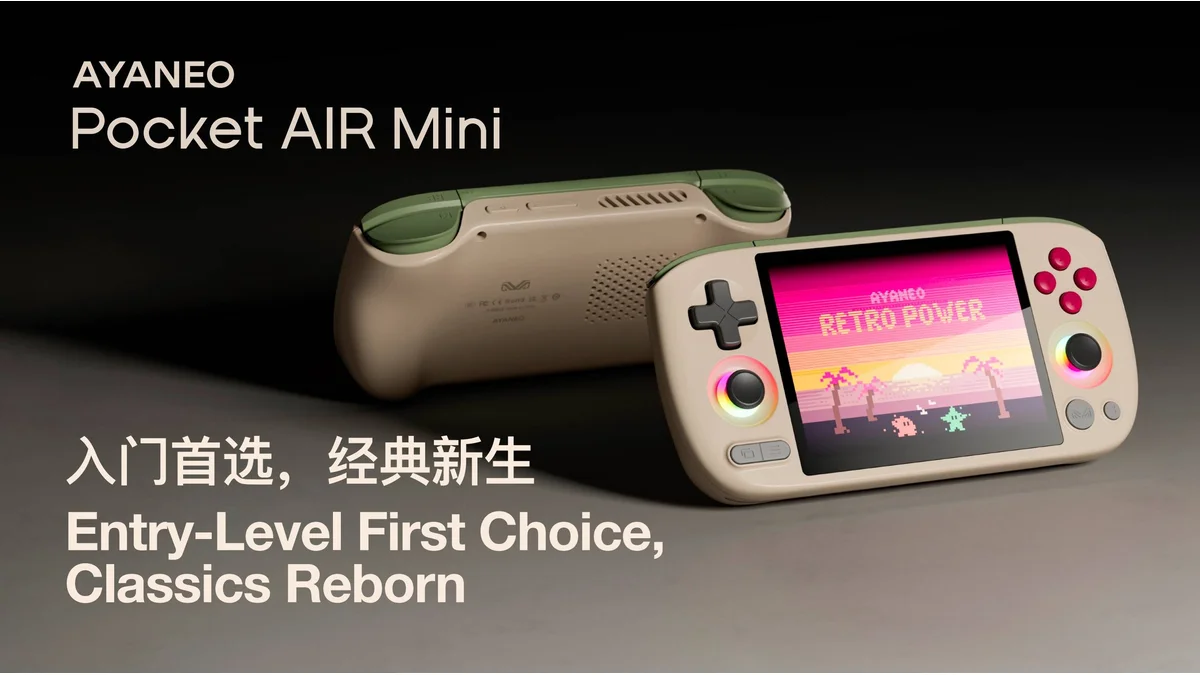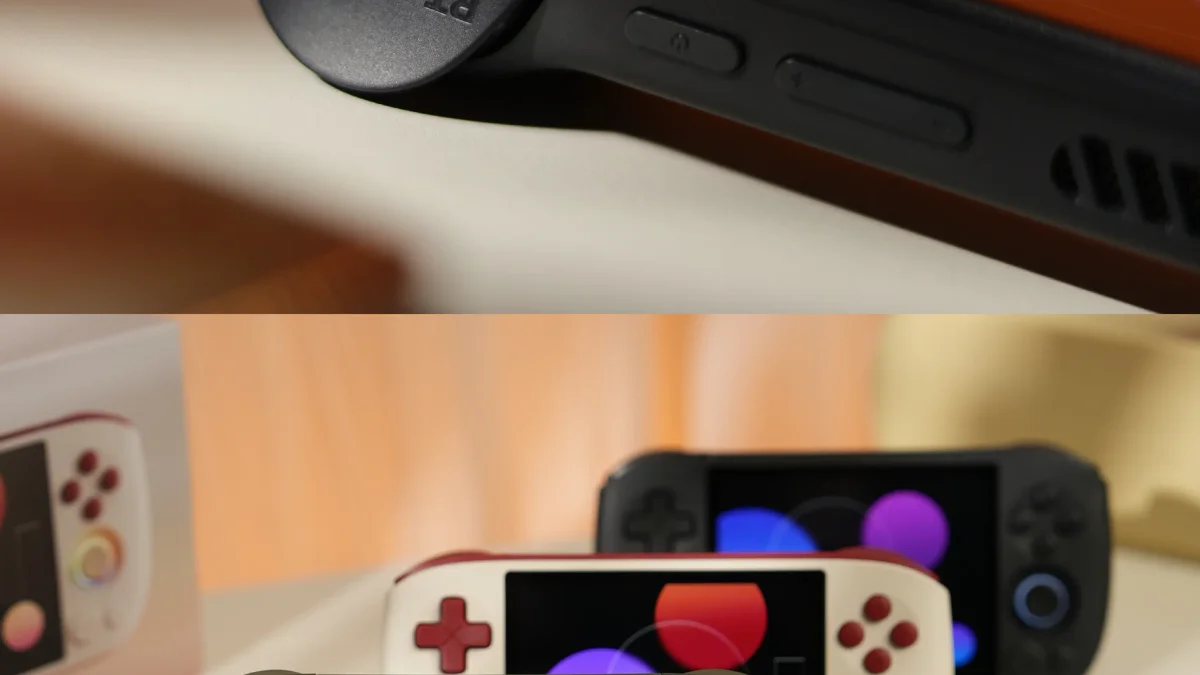
The AYANEO Pocket Air Mini represents a new category of budget Android handhelds that refuse to compromise on essential features. Priced at approximately $90, this compact device delivers Hall Effect analog sticks, active cooling, and a perfectly proportioned 4:3 display—features typically reserved for handhelds costing three times as much (according to Retro Catalog). For retro gaming enthusiasts seeking an entry-level device or a pocketable secondary handheld, the Pocket Air Mini offers exceptional value when properly configured.
Overview and Positioning
The Pocket Air Mini enters the market as AYANEO's most accessible Android handheld, targeting gamers who prioritize portability and retro content over cutting-edge performance. Its 4.2-inch screen and sub-270g weight make it genuinely pocketable—a rarity in an era of increasingly large handheld devices.
AYANEO positions this device as an "entry-level retro handheld made for every gamer," emphasizing its approachability for newcomers while including premium touches like Hall Effect sticks that appeal to enthusiasts (according to AYANEO). The 4:3 aspect ratio display specifically targets retro gaming, offering pixel-perfect scaling for classic consoles without black bars or stretching.
Unlike premium Android handhelds that chase PlayStation 2 and GameCube emulation at high resolutions, the Pocket Air Mini focuses on delivering excellent performance through 16-bit and PlayStation 1 eras, with capable PS2 and GameCube support at native resolution. This realistic performance target keeps costs down while ensuring a smooth experience for the content most retro gamers actually play.
Key Specifications and Features
| Component | Specification |
|---|---|
| Display | 4.2-inch LCD, 1280×960 (4:3), 380 PPI, 60Hz |
| Processor | MediaTek Helio G90T (8-core Cortex-A76 @ 2.05 GHz) |
| GPU | Mali-G76 MP4 @ 800 MHz |
| RAM | 2GB LPDDR4X |
| Storage | 32GB internal + microSD expansion |
| Battery | 4500 mAh |
| Cooling | Active cooling system |
| OS | Android 11 |
| Weight | 269g |
| Connectivity | WiFi 5, Bluetooth 5.0, cellular data support |
The standout features distinguish this budget handheld from competitors. Hall Effect analog sticks eliminate drift concerns that plague budget devices using traditional potentiometer-based sticks. The 4500 mAh battery exceeds many larger handhelds, delivering impressive endurance despite the compact size. Active cooling—virtually unheard of at this price point—ensures sustained performance during extended sessions.
The 4:3 display deserves special mention. At 1280×960 resolution, it offers perfect integer scaling for 240p and 480p content while maintaining 380 PPI sharpness. The 4:3 aspect ratio eliminates letterboxing for pre-PS2 era content, making SNES, Genesis, and PlayStation 1 games fill the screen beautifully (according to Amazon listing).
Initial Setup and Optimization
First Boot and System Configuration
Upon powering on the Pocket Air Mini, complete the standard Android setup process. Sign into your Google account to access the Play Store, but consider creating a dedicated gaming Google account to keep emulator purchases and cloud saves organized.
Critical first steps:
- Update system software - Check Settings > System > System Update for any available patches
- Configure display settings - Enable auto-rotation if desired, adjust brightness for your environment
- Set up AYASpace - AYANEO's gaming overlay provides quick settings access; configure your preferred button shortcuts
- Enable developer options - Navigate to Settings > About Phone, tap Build Number seven times, then enable USB debugging if you plan to transfer files via PC
Storage Management
With only 32GB internal storage and approximately 2GB RAM, storage management becomes essential. The system reserves significant space for Android itself, leaving roughly 20GB for user content.
Recommended storage strategy:
- Keep BIOS files and emulator configurations on internal storage
- Store ROMs on a quality microSD card (256GB or 512GB recommended)
- Use compressed ROM formats (CHD for disc-based games, 7z for cartridges) where supported
- Regularly clear emulator cache files to reclaim space
AYASpace Configuration
AYANEO's software overlay provides hardware control and quick settings access. Access it by pressing the dedicated AYA button or configured shortcut.
Key AYASpace settings to configure:
- Performance modes - Set profiles for different emulator demands (power save for 8-bit, performance for PS2)
- Button mapping - Customize the AYA button function and create shortcuts for screenshot capture
- Fan control - While automatic mode works well, you can manually adjust fan curves for noise preference
Emulation Performance Expectations
The MediaTek Helio G90T delivers solid performance for retro gaming, though realistic expectations are essential given the budget positioning.
| System | Expected Performance | Recommended Emulator |
|---|---|---|
| 8/16-bit (NES, SNES, Genesis) | Flawless at 4x+ resolution | RetroArch cores |
| PlayStation 1 | Full speed with upscaling | DuckStation or RetroArch SwanStation |
| Nintendo 64 | Excellent compatibility | M64Plus FZ Pro |
| PlayStation Portable | Full speed, 2x rendering | PPSSPP |
| Dreamcast | Good performance | Flycast |
| Nintendo DS | Full speed | MelonDS or RetroArch core |
| PlayStation 2 | Playable at native resolution | NetherSX2 with conservative settings |
| GameCube/Wii | Limited, native resolution | Dolphin with reduced settings |
For PlayStation 2 emulation via NetherSX2, expect native resolution performance for most titles. Upscaling beyond 1x resolution will cause performance drops given the Mali-G76 GPU limitations. Focus on compatibility over visual enhancements—disable anti-aliasing and texture filtering to maintain smooth frame rates.
GameCube and Wii emulation through Dolphin requires significant configuration. Stick to native resolution, disable unnecessary enhancements, and consider the "Disable EFB Copy to RAM" hack for demanding titles. Many games will run full speed; others may require frameskip or reduced settings.
Battery Life and Charging
The 4500 mAh battery delivers impressive endurance for the Pocket Air Mini's size. Real-world battery expectations:
| Usage Scenario | Estimated Battery Life |
|---|---|
| 8/16-bit emulation | 8-10 hours |
| PlayStation 1 / N64 | 6-8 hours |
| PlayStation 2 / GameCube | 4-5 hours |
| Android gaming | 3-4 hours |
| Standby | 3-5% drain per 24 hours |
The active cooling system manages thermals effectively, preventing the throttling that kills battery life on passively cooled competitors. During intensive PS2 gaming, expect the fan to become audible but not distracting.
Charging recommendations:
- Use the included USB-C charger or a quality 18W+ PD charger
- Expect 2.5-3 hours for full charge from empty
- The device supports passthrough charging for docked play
- Consider a 65W GaN charger for travel (charges phone, handheld, and laptop with one brick)
AYANEO Software Ecosystem (AYASpace)
AYASpace serves as the Pocket Air Mini's gaming layer, providing hardware control beyond stock Android capabilities. While less extensive than the full AYASpace implementation on premium AYANEO devices, the core functionality enhances the gaming experience significantly.
Key AYASpace features:
- Quick Settings Panel - Access performance modes, fan control, and brightness without leaving games
- Button Remapping - Create custom profiles for different emulators or game types
- Performance Monitoring - Optional overlay showing FPS, temperature, and battery status
- Screenshot Capture - Dedicated button combination for instant captures
The software integrates well with Android's native gaming features while providing the hardware-level controls enthusiasts expect. The AYA button serves as a universal shortcut to this overlay, accessible from any application.
Recommended Emulator Setup
Following the setup guidance from Joey's Retro Handhelds, here's the optimal emulator configuration:
RetroArch (8-bit through PlayStation 1)
Install the stable build directly from the RetroArch website rather than the Google Play Store version for better core availability.
Recommended cores:
- NES: FCEUmm
- SNES: Snes9x
- Genesis: Genesis Plus GX
- PlayStation 1: SwanStation
- Game Boy/Color: Gambatte
- Game Boy Advance: mGBA
- Arcade: FinalBurn Neo
Standalone Emulators (Better Performance)
- PlayStation 1: DuckStation (optional but recommended over RetroArch for upscaling)
- Nintendo 64: M64Plus FZ Pro (paid Play Store version for best compatibility)
- PlayStation Portable: PPSSPP (excellent performance at 2x resolution)
- PlayStation 2: NetherSX2 (current best PS2 emulator for Android)
- Nintendo DS: MelonDS (for upscaling) or RetroArch core (for simplicity)
Frontend Recommendation
Consider installing ES-DE or Daijisho for a unified interface that organizes your ROM library across all emulators. Both frontends support the Pocket Air Mini's 4:3 display beautifully.
Frequently Asked Questions
Is 2GB RAM sufficient for emulation on the Pocket Air Mini?
The 2GB RAM limitation primarily affects multitasking and demanding Android games rather than retro emulation. For dedicated emulation use—playing one system at a time without background apps—2GB proves adequate. PlayStation 2 and GameCube emulation through NetherSX2 and Dolphin runs comfortably within this constraint. However, expect occasional app reloads when switching between emulators and browsers, and avoid running streaming apps simultaneously with demanding emulation. For pure retro gaming sessions, the RAM limitation rarely impacts gameplay.
How does the Pocket Air Mini compare to the Retroid Pocket 2S at similar pricing?
Both devices target the budget Android handheld segment but prioritize different features. The Pocket Air Mini offers Hall Effect sticks, active cooling, and a 4:3 display—premium features the Retroid Pocket 2S lacks. However, the Retroid Pocket 2S typically includes more RAM (3-4GB) and runs newer Android versions. For gamers prioritizing stick longevity and thermal performance, the Pocket Air Mini wins. Those needing more RAM for multitasking or newer Android compatibility may prefer the Retroid alternative. Both handle through-PS1 era flawlessly and offer limited PS2 capability.
Can the Pocket Air Mini handle Nintendo Switch or PlayStation 3 emulation?
Nintendo Switch and PlayStation 3 emulation remain beyond the Pocket Air Mini's capabilities. The MediaTek Helio G90T lacks the GPU performance and RAM capacity for Skyline (Switch) or RPCS3 (PS3) to achieve playable frame rates. Even basic Switch titles struggle significantly. The device realistically targets PlayStation 2 and earlier generations. For Switch or PS3 emulation, consider devices with Snapdragon 8-series chips and 8GB+ RAM like the Retroid Pocket 5 or AYN Odin 2 series.
Final Recommendations
The AYANEO Pocket Air Mini succeeds as a budget Android handheld by focusing on what matters: quality controls, adequate performance for retro content, and genuine portability. Its $90 price point democratizes features like Hall Effect sticks and active cooling that previously required $300+ investments.
For the best experience:
- Use a quality 256GB or 512GB microSD card for ROM storage
- Focus on through-PS1 era content where the device excels
- Configure conservative settings for PS2/GameCube emulation
- Leverage AYASpace for quick hardware control access
- Keep the device updated with available system patches
Whether as a first Android handheld, a pocketable travel companion, or an affordable entry into retro gaming, the Pocket Air Mini delivers remarkable value when configured properly.